Best Camera for UGC Creators 2026: iPhone, Mirrorless & Budget
Best cameras for UGC creators in 2026: iPhone vs Sony ZV-E10 II vs budget options, honestly ranked for brand deliverables — not photography.
Maya Rivera
June 25, 2026 · 9 min read
The short answer
For most UGC creators in 2026, a recent iPhone (15 Pro or newer) or a Sony ZV-E10 II is all you need to land paid brand work. Lighting, audio, and stabilization matter more than camera specs — you do not need a $1,000+ camera body to get started or to keep clients.
Every UGC camera guide you’ll find online is written for photographers or YouTubers. The advice centers on dynamic range, codec latitude, and full-frame sensors — none of which matter much for a 30-second brand video that runs on Instagram.
This guide is written specifically for creators shooting UGC deliverables: product demos, testimonials, lifestyle b-roll, and hooks for paid ads. The gear calculus looks different here, and the honest answer to “what camera do I need?” is almost certainly more affordable than you expect.
The short version: The best camera for UGC creators in 2026 is a recent iPhone (13 or newer) or a Sony ZV-E10 II mirrorless camera. For most paid briefs, lighting, stabilization, and audio quality matter more than the camera body itself. A well-lit smartphone clip outperforms a poorly lit mirrorless clip every time.
What Brands Actually Care About (It’s Not Megapixels)
Before spending anything on gear, understand what makes UGC footage work for the brands reviewing it:
- Stable footage. Shaky video gets rejected. A tripod or mini-gorilla mount costs $25 and solves this completely, regardless of camera.
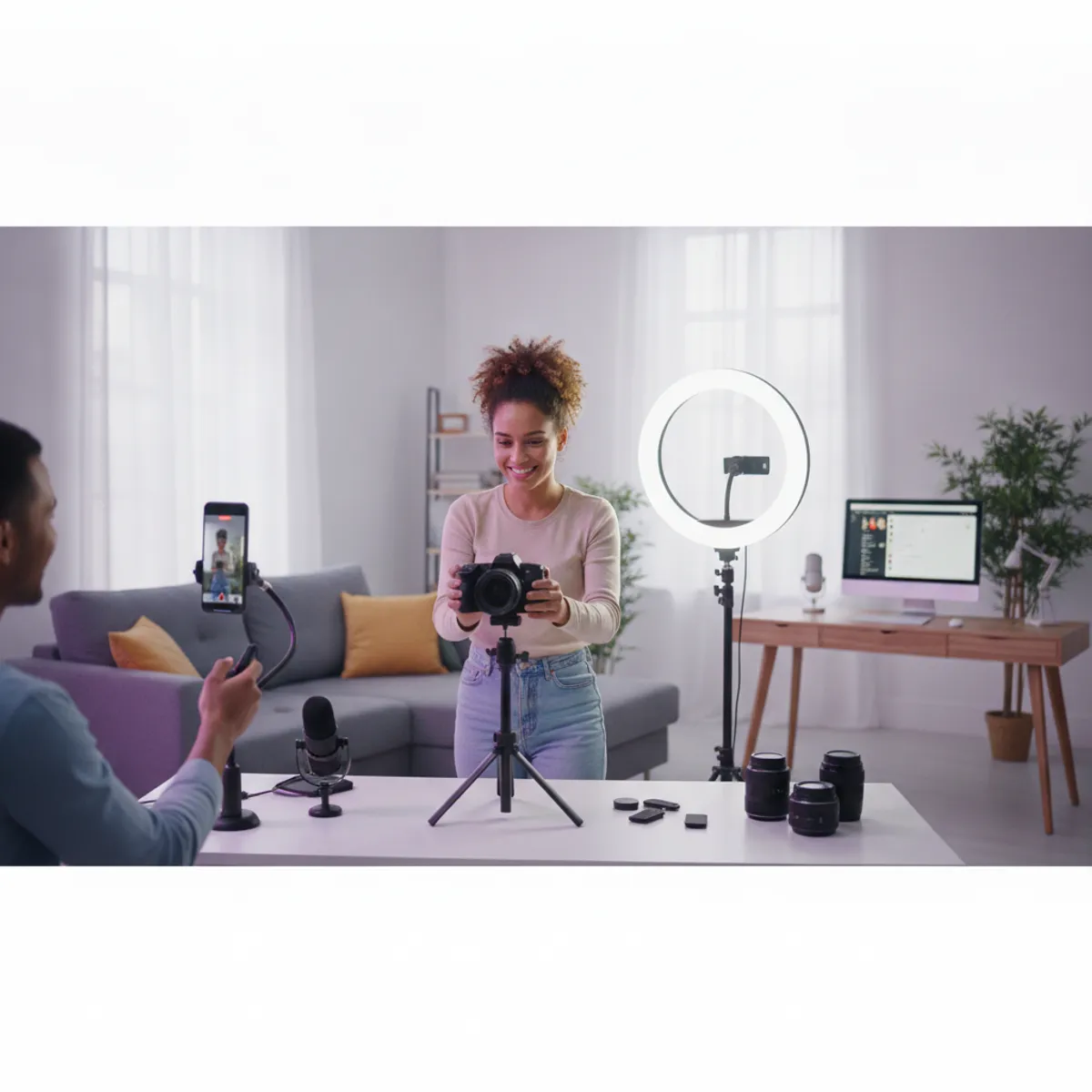
- Consistent lighting. A $40 ring light will improve your output more than a $1,000 camera upgrade. Brands can tell the difference between a dim phone clip and a well-lit phone clip. They generally cannot tell the difference between a well-lit phone clip and a well-lit mirrorless clip.
- Clear audio. If you speak on camera — testimonials, voiceover, talking-head — a clip-on lavalier mic is non-negotiable. Built-in camera and phone mics are mediocre in anything but a treated room.
- 4K resolution. Now the baseline expectation for most platform deliverables. Most phones and all the cameras below hit this.
Brands reviewing UGC pitches are watching your hooks, your on-screen presence, and whether the footage looks clean and intentional. A well-lit iPhone shot beats a dimly-lit mirrorless shot every time — no exceptions.
Option 1: Your iPhone (Where Most UGC Creators Start — and Stay)
If you own an iPhone 13 or newer, you have a capable UGC camera already. The iPhone 15 Pro, 16, and 16 Pro are particularly strong for brand deliverables:
- 4K at 24, 30, or 60fps depending on your brief requirements
- Cinematic Mode for a shallow depth-of-field look without extra lenses
- ProRes video on Pro models for maximum flexibility in post
- Action Mode — built-in stabilization that removes shake on handheld walking shots
For the majority of UGC formats — unboxing, lifestyle demos, talking-head testimonials — raw iPhone footage at 4K, well-lit and with a decent mic, clears the bar for paid client work. Many established UGC creators with full client rosters shoot exclusively on iPhone.
Where iPhone falls short: Low-light performance degrades below roughly 200 lux. If you’re shooting indoors without supplemental lighting, a mirrorless camera holds up better. iPhones also lack a flip screen, which makes solo framing awkward (a small mirror propped up behind your phone, or a phone stand with a live view, solves this adequately).
Who should stick with iPhone: Anyone starting out, anyone whose content is primarily daylight or natural-light lifestyle, and anyone who hasn’t yet landed consistent clients. Don’t buy a camera to build your portfolio — build your portfolio to justify buying a camera.
Android note: Samsung Galaxy S24 series, Google Pixel 8 Pro and newer, and comparable 2023–2025 flagship Androids are equivalent for UGC work. The same principles apply.
Option 2: Sony ZV-E10 II (Best Dedicated Camera for UGC Under $800)
The Sony ZV-E10 II is a compact mirrorless camera from Sony’s ZV (Vlog Camera) lineup, designed specifically for solo content creators. It is the most widely recommended dedicated camera in the UGC creator community as of 2026. Key specs relevant to brand deliverables: fully articulating flip screen, Sony Real-Time Tracking autofocus that locks on faces and eyes, clean 4K 30fps video output with S-Log3 profile for color grading, and an interchangeable E-mount lens system. Body weight is approximately 350g without lens. Retail price ranges from $600–$750 for the body and $650–$850 for the kit with the 16-50mm lens.
When you’re ready to step up from a smartphone, the ZV-E10 II is the clearest recommendation — and it’s worth understanding why it works so well for this specific use case.
What makes it right for UGC specifically:
- Fully articulating flip screen. This is the single biggest quality-of-life upgrade over a phone. You can see yourself composing the shot while recording solo, which removes the guesswork from every shoot.
- Real-Time Tracking autofocus. It locks onto your face and eyes and stays there, even when you move or turn slightly. For talking-head content, this means clean, in-focus footage without a second shooter.
- Clean 4K 30fps output. S-Log3 profile available for color grading. Sharp and broadcast-ready. Note: 4K is cropped, which narrows the field of view slightly — for 99% of UGC work, including product close-ups and lifestyle b-roll, this is irrelevant.
- Interchangeable lenses. Start with the 16-50mm kit lens; it covers virtually every UGC format. Upgrade later if needed without replacing the body.
- Compact, lightweight. Roughly 350g without lens. Easy to take on location shoots, retail visits, or outdoor lifestyle content.
The Sony E-mount lens ecosystem is one of the most accessible, so you won’t be locked into expensive glass if you want to experiment later.
Price range: The ZV-E10 II body typically retails for $600–$750; the kit with the 16-50mm lens runs $650–$850 depending on retailer and current promotions. Check Amazon for the current price before purchasing, as it fluctuates.
If you’re putting together your first dedicated setup and want to know what else to pair with it, our UGC starter kit gear guide covers tripods, lighting, and audio at three budget levels — read that before you buy anything else.
Option 3: Budget Dedicated Cameras (Under $500)
If the ZV-E10 II is out of reach right now, these options are worth considering:
Sony ZV-1 II (~$350–$500): A compact fixed-lens camera designed specifically for content creators. It has the flip screen, Sony’s autofocus, and a wider native lens than its predecessor (18mm equivalent vs 24mm). Because it doesn’t accept interchangeable lenses, it’s simpler to operate and smaller to carry — which matters for location shoots. It won’t match the ZV-E10 II in image quality or versatility, but for most UGC formats it covers everything you need.
Canon G7X Mark III (~$650–$750): A compact camera popular among vloggers and UGC creators for its pocketable size, solid low-light performance, and relatively simple shooting experience. Its autofocus is good but not as fast as Sony’s Real-Time Tracking. If you prefer Canon’s color rendering or are already in the Canon ecosystem, this is a reasonable choice — though at this price point the ZV-E10 II with kit lens is usually the better value.
Original Sony ZV-E10 (used, ~$250–$350): If you can find one in good condition, the original ZV-E10 remains a capable camera for UGC work. The autofocus isn’t as advanced as the Mark II, and it lacks some ergonomic upgrades — but for controlled-environment shoots (studio setups, static talking-head content), the difference is minimal.
What Matters More Than the Camera Body
Here’s the honest allocation of a limited gear budget:
| Item | Why It Matters for UGC | Approximate Cost |
|---|---|---|
| Ring light or softbox | Solves the most common reason footage looks amateur | $30–$80 |
| Tripod or mini gorilla mount | Removes camera shake; enables hands-free solo shots | $20–$50 |
| Clip-on lavalier mic or wireless mic | Non-negotiable for talking-head content | $30–$300 |
| Camera upgrade | Better low-light, flip screen, faster autofocus | $400–$800 |
Light, then stabilize, then mic — then upgrade the camera. In that order.
Brands reviewing your spec portfolio cannot identify your camera model from the footage. They absolutely will notice if your face is shadowed, your audio is hollow, or your frame shakes when you reach for the product. Fix those first.
Which Camera Is Best for UGC? (Side-by-Side Comparison)
| Camera | Type | 4K | Flip Screen | AF Quality | Best Fit |
|---|---|---|---|---|---|
| iPhone 16 Pro | Smartphone | ✅ | ❌ | ✅ Strong | Starting out; lifestyle; daylight content |
| iPhone 15 / 16 | Smartphone | ✅ | ❌ | ✅ Good | Budget start; most UGC formats |
| Sony ZV-E10 II | Mirrorless | ✅ | ✅ | ✅ Excellent | Best all-around UGC camera |
| Sony ZV-1 II | Compact fixed | ✅ | ✅ | ✅ Good | Simpler setup; travel shoots |
| Canon G7X Mark III | Compact fixed | ✅ | ✅ | ✅ Good | Lifestyle; vlog-style content |
| Original ZV-E10 (used) | Mirrorless | ✅ | ✅ | ✅ Good | Budget mirrorless path |
The Decision Made Simple
- You have a phone from 2021 or newer: Use it. Don’t buy a camera until you have paying clients. Spend on lighting first.
- You’re ready to invest and want the cleanest upgrade path: Sony ZV-E10 II with the kit lens. It’s what most experienced UGC creators eventually land on.
- You want a dedicated camera but ZV-E10 II is out of budget: Sony ZV-1 II new, or original ZV-E10 used. Both work.
The creators building consistent client rosters in 2026 are not the ones with the most expensive kit — they’re the ones who know how to frame a shot, nail a hook in the first three seconds, and deliver reliably on brief.
Once you have a few clients paying consistently, upgrade if you need to. Until then, shoot with what you have, light it well, and focus on building your portfolio. Our UGC portfolio guide shows how to build a strong book from scratch — no clients required to start. And when the work starts coming in, make sure you’re pricing it correctly with our UGC creator rates guide.
Frequently asked questions
Do I need a professional camera to do UGC?
No. Most UGC briefs are designed to look authentic, and smartphones are widely accepted by brands and platforms. An iPhone 13 or newer — or a comparable Android flagship — shoots 4K and is sufficient for the majority of paid UGC work.
What camera do most UGC creators use?
Most working UGC creators use a recent iPhone (15 or 16 series) or a Sony ZV-E10 / ZV-E10 II. Both shoot 4K, handle autofocus reliably, and are designed for handheld, solo content creation.
Is the Sony ZV-E10 good for UGC?
Yes. The Sony ZV-E10 series is purpose-built for content creators: it has a fully articulating flip screen, clean 4K output, excellent real-time eye-tracking autofocus, and accepts interchangeable lenses. It is the most commonly recommended mirrorless camera in the UGC creator community.
What camera should I buy as a beginner UGC creator?
Start with what you already have. If you own an iPhone 12 or newer, that is sufficient to land your first clients. If you want a dedicated camera upgrade, the Sony ZV-E10 II with a kit lens is the clearest step up at a realistic price point.
What is the best budget camera for UGC creators?
The Sony ZV-1 II (~$350–$500) is the best dedicated budget option — flip screen, Sony autofocus, compact fixed lens. For the lowest-cost entry, any iPhone 13 or newer or a 2022+ Android flagship handles the majority of paid UGC briefs without any additional purchase.
Maya Rivera
UGC Creator & Editor-in-Chief
Maya makes short-form ads for DTC beauty and wellness brands and writes the playbooks she wishes she'd had on day one.
3+ years creating UGC for 40+ brands; built a UGC business to full-time income before turning 24.
Steal the UGC playbook
One email a week: a pitch template, a gear pick, and the trend that's actually moving brand budgets. Free.
No spam. Unsubscribe anytime.